
The envelope method · Step 6
Fill your envelopes
Give every amount a job, in the right order: must-pays first, then your safety net, then everything else.
You've listed your accounts and made your envelopes. Now put your money to work.
Start with what you have
All the money in your accounts is waiting for a job. In Smarter Budget it shows as Ready to assign.
The order: pay yourself first
- Everything marked must pay: your essentials, and any subscriptions you must pay.
- Your savings, starting with your safety net.
- Everything else.
Every amount gets a job
Keep going until Ready to assign reaches zero. Then every amount has a job.
If there isn't enough
If there isn't enough for your must-pays and your safety net, that tells you something important: you're spending more than you have. It's time to look at your expenses.
Do it in Smarter Budget
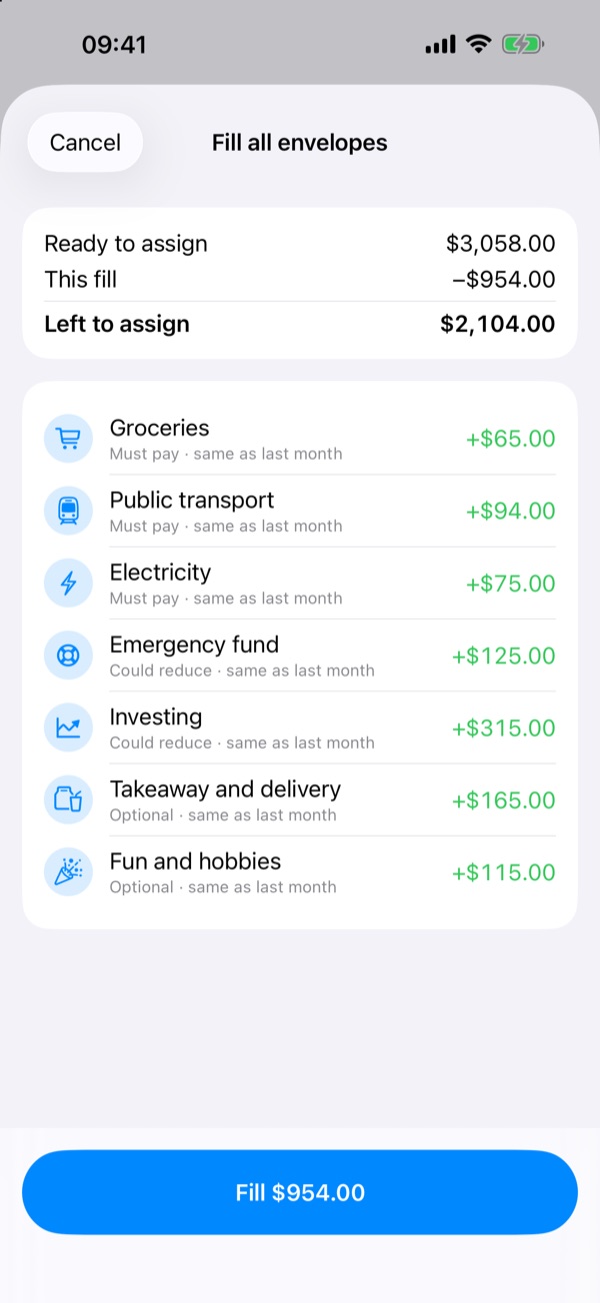
- Fill all fills your envelopes in this order, and shows every amount before you confirm.
- Or fill one group at a time with its Fill button.
Free for two weeks, then a one-time purchase. No subscription.
General information only, not financial advice. Think about your own situation, and talk to a qualified professional before big financial decisions.