
The envelope method · Step 8
Reconcile your accounts
Check that each account in your budget matches the bank, every few days. It keeps your whole budget honest.
Is the balance in your budget the same as the balance in your bank? Reconciling is how you make sure. It isn't optional: it's what keeps the whole system honest.
How often
Every few days, if you can. That's much better than once a month.
How
Go to each account and check its balance at the bank. Then check that it matches your budget. Sometimes payments leave your account without you knowing. When you find one, add it.
When the numbers don't match
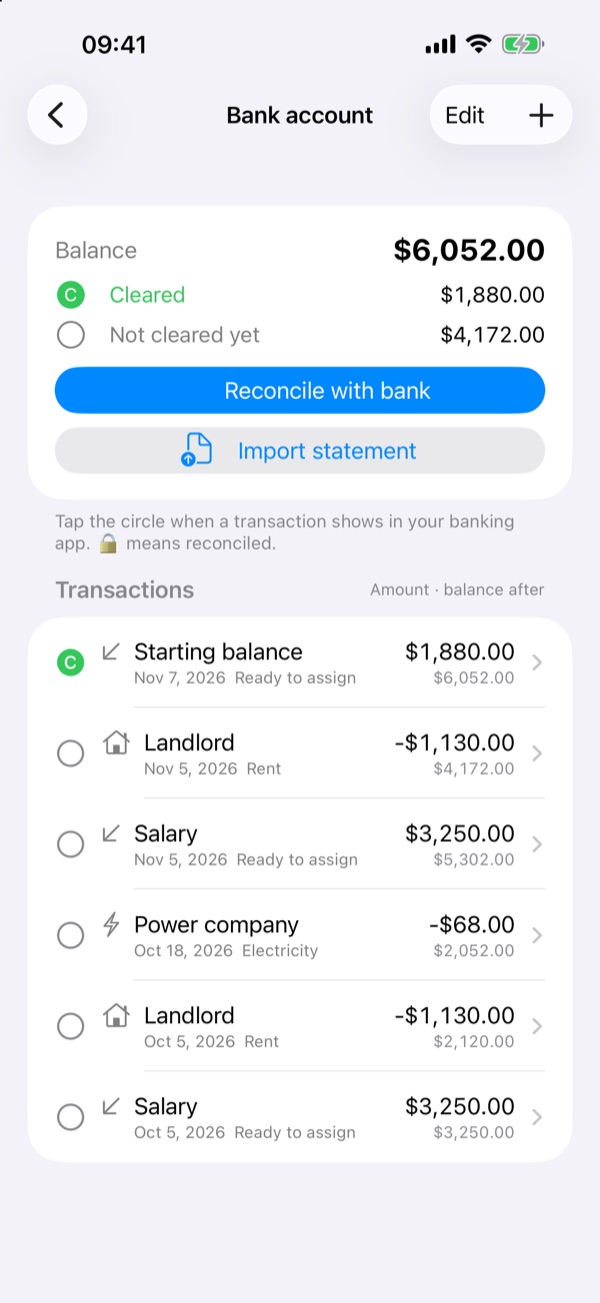
Find out why. A common cause is a payment you entered that has cleared at the bank but isn't marked as cleared in your budget. Mark as cleared only what has cleared at the bank. Then the numbers match.
Cash
Count the money you actually have, and check it against your cash balance.
If you forgot something
If you forgot to record something you spent, make an adjustment so your budget matches reality.
Do it in Smarter Budget
- Open an account and tap Reconcile.
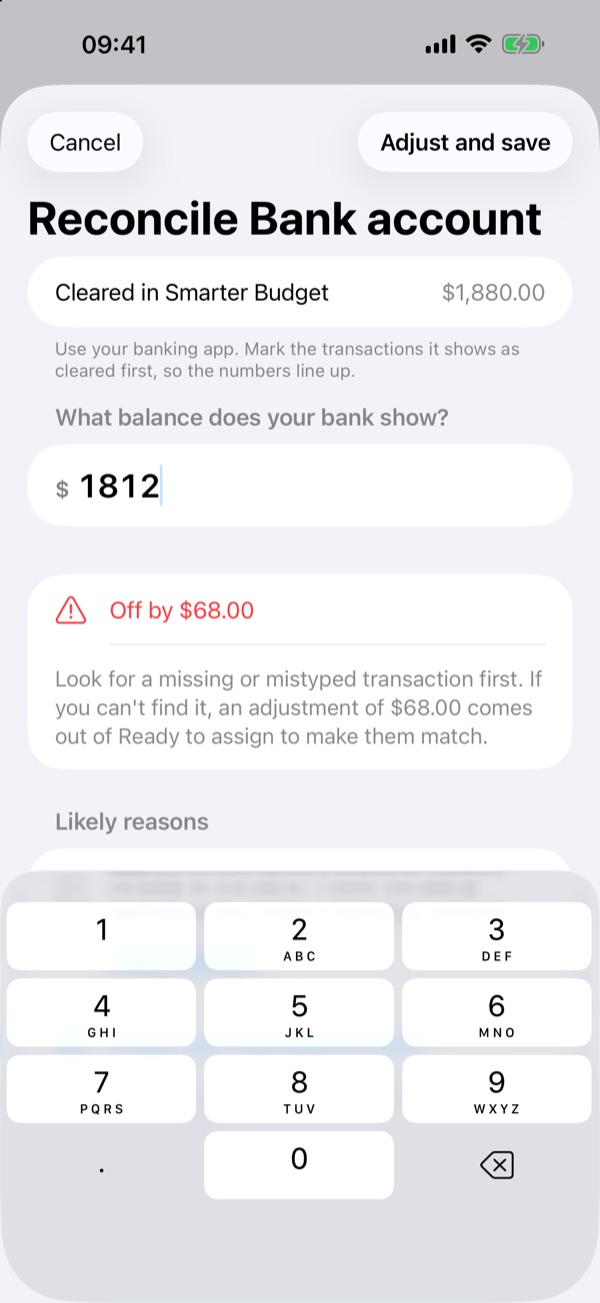
- Enter the balance your bank shows.
- If it doesn't match, Smarter Budget suggests what might be wrong. Check it, and mark what has Cleared.
- For cash, count it and enter the amount.
- If something is still missing, save with an adjustment.
Free for two weeks, then a one-time purchase. No subscription.
General information only, not financial advice. Think about your own situation, and talk to a qualified professional before big financial decisions.